Purchasing a challenge is a simple process that can be completed in a few steps.
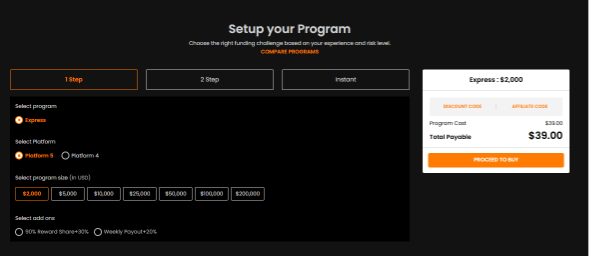
Step 1 — Choose Your Account Type
Select the program that best matches your trading style and objectives.
Available Programs
- 1-Step Challenge → Express
- 2-Step Challenge → Enhanced or EnhancedX
- 3-Step Challenge → Endurance
- Instant Funding → Funding, Lite or Instant24
Each program has different trading objectives, rules, and account structures to suit different types of traders.
Step 2 — Select Your Account Size
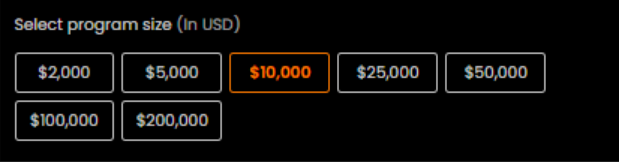
Choose the account balance you would like to trade with based on your experience, goals, and preferred level of risk.
Available account sizes may vary depending on the selected program.
Step 3 — Add Optional Add-Ons
During checkout, you may have the option to customize your account with additional faaseatures or add-ons.
These optional upgrades are designed to enhance your trading experience and may vary depending on the challenge type selected.

Step 4 — Apply a Discount Code (If Available)
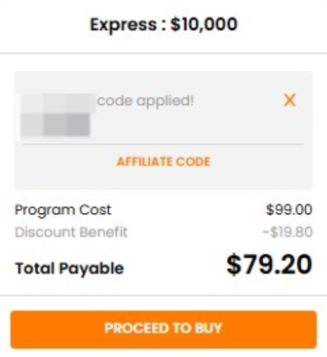
If you have a valid discount code, you can apply it during the checkout process.
Simply click on the “Discount Code” section and enter your code before completing payment.
Are there any hidden or recurrent fees?
No. The only fee is price of the account at the moment of purchase.
Was this article helpful?
That’s Great!
Thank you for your feedback
Sorry! We couldn't be helpful
Thank you for your feedback
Feedback sent
We appreciate your effort and will try to fix the article